Coming soon · iPhone & iPad

Everything you own. In one place, after dark.

Connect your media servers, add-ons, files, and live TV. 4789 gathers everything you own into one fast, gorgeous library. It ships empty on purpose. You bring the sources.

Free to tryCasts to Kodi & ChromecastNothing hosted by us
4789 poster wall: a scrolling grid of real artwork from every source you connect
Jellyfin connected
Tap the phone ↓
01The Wall

Ships empty. On purpose.

4789 doesn't come with a library. It comes with a place to put yours. Connect what you already own, and the shelves fill themselves with real artwork.

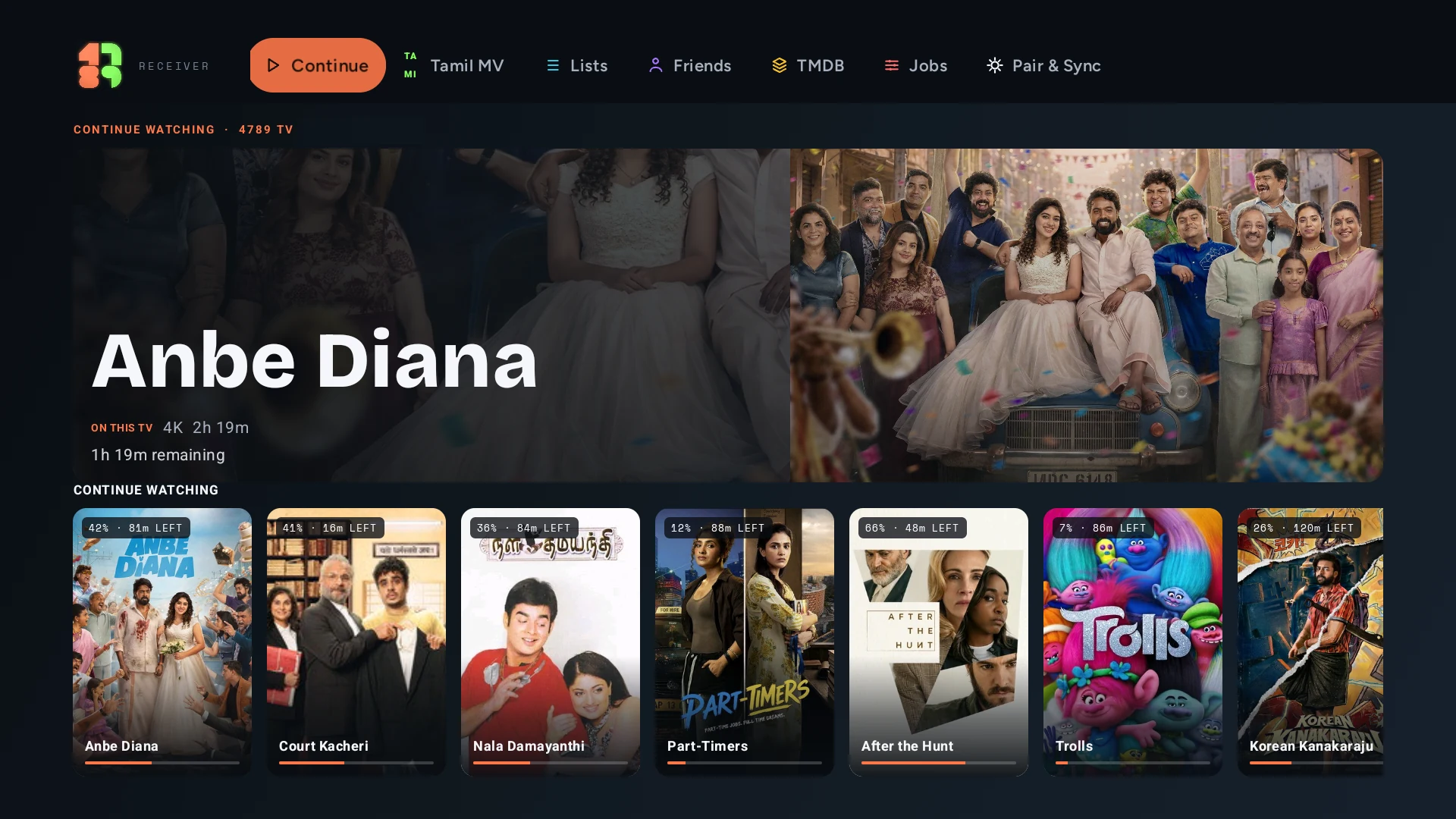
4789 home: Continue watching, Collections, and a live cast bar
Browse

Browse it like an art gallery.

Every source you connect, arranged as one endless, scrollable wall of real artwork. Fetched posters, real ratings, recommendations drawn from every catalog at once.

The player

Press play. That's the manual.

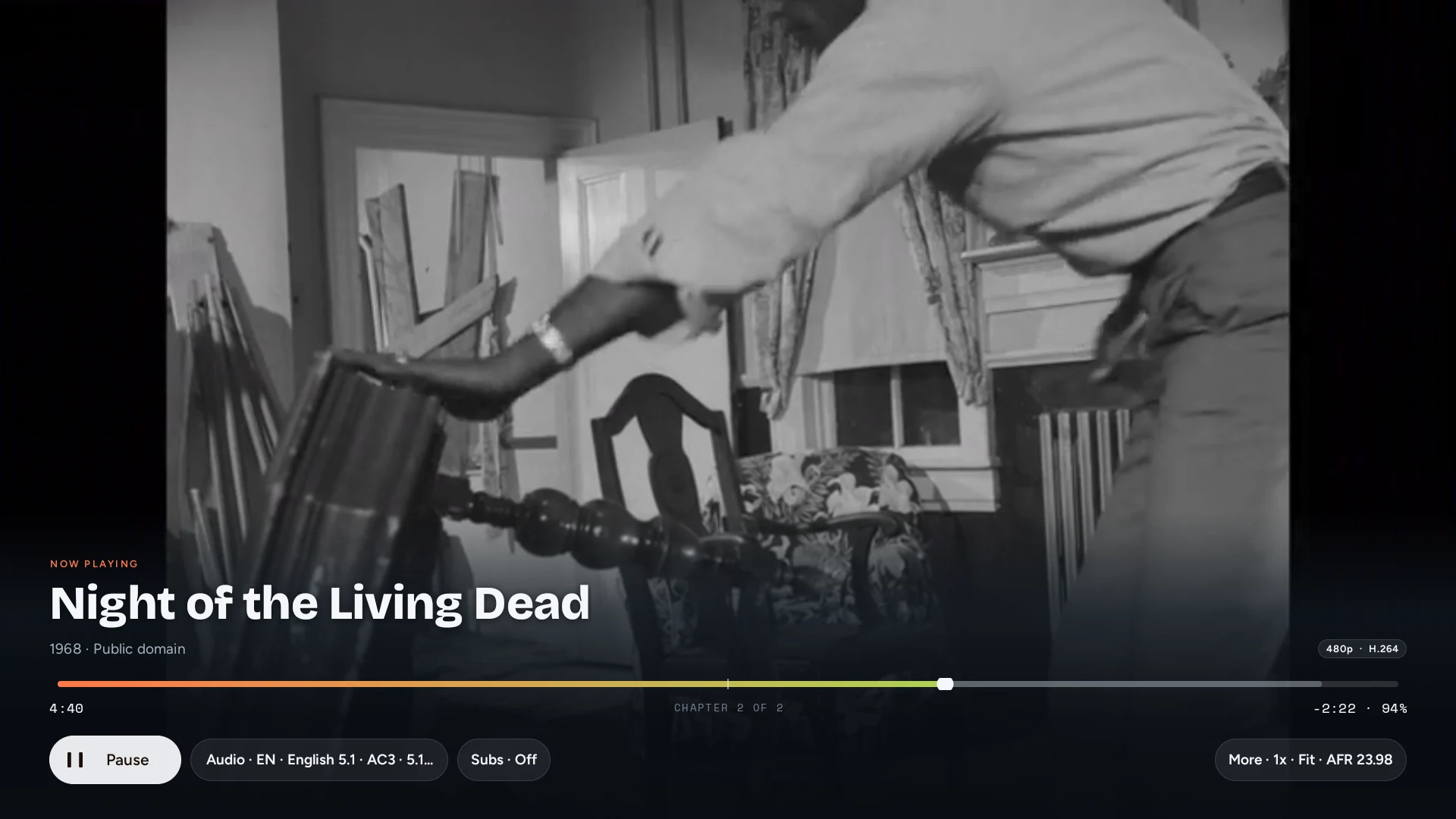
Hardware decoding, HDR, subtitles your way, picture-in-picture. The file that stutters everywhere else simply plays.

Casting

Send it to the big screen.

Send a local file, or whatever you're watching, to Kodi or Chromecast. One tap, no cables.

02Try it right here

Don't read about it. Tap it.

Real screenshots, wired together. The glowing regions are tappable, exactly like the app.

Discover

Your shelves, your way

Popular, New, Featured. Every shelf comes from catalogs you connected.

Tap the screen to keep moving. Arrow keys work too.

03Bring your own

Four ways in. All yours.

Pick a source to see it connect. One tap each, and its artwork lands on your Wall. Nothing is hosted by us.

4789 onboarding: connect a source 4789 Discover shelves from add-on catalogs 4789 title detail from your own files 4789 home with live content
Play on TV: saved Kodi boxes, one connected, manual add fields
Living-room TV
04Casting

Send it to the big screen.

Tap the cast control on any title and 4789 finds the screens on your network. Send a local file, or whatever you're watching, to Kodi or a Chromecast. One tap, no cables, no accounts.

01

Connect to Kodi

  1. On your Kodi device, open Settings → Services → Control and turn on “Allow remote control via HTTP” and “Allow remote control from applications on other systems.” Kodi control settings ↗
  2. Make sure Kodi and your iPhone are on the same Wi-Fi network.
  3. In 4789, open any title and tap the cast icon. Your Kodi device appears in the list.
  4. Pick it. Playback starts on the TV; your phone becomes the remote (play, pause, seek, subtitles, next episode).
02

Connect to Chromecast

  1. Plug your Chromecast / Google TV ↗ into the TV and finish its setup in the Google Home app.
  2. Keep the Chromecast and your iPhone on the same Wi-Fi.
  3. In 4789, tap the cast icon on a title. Nearby Chromecast devices show up automatically.
  4. Choose your device. 4789 sends the video straight from your source to the TV over your LAN.

Casting FAQ

Do I need an account or the cloud to cast?

No. Casting happens entirely on your local network. 4789 sends the video from your own source to your own screen. Nothing routes through us.

My device doesn't appear in the list.

Check that the TV device and your iPhone are on the same Wi-Fi (not a guest network), that the Kodi HTTP control settings above are on, and that your router isn't blocking device-to-device traffic (AP isolation). Then reopen the cast sheet.

Can I keep browsing while it plays on the TV?

Yes. Once casting starts, your phone is a remote: queue the next episode, adjust subtitles, or browse the Wall while the TV keeps playing.

Does casting work with subtitles and multiple audio tracks?

Yes on Kodi: subtitle styling and audio-track selection carry over. Chromecast support depends on the file and the device's codecs.

05Around the world

See what the whole world is watching.

Tap any country on the map and drop into its cinema. Top films, fresh releases, hidden classics, region by region. Your next favourite might not speak English.

Country catalogsRegional chartsFestival picks
06One evening with 4789

Scroll it like a story.

4789 home with Continue and Collections World map with poster pins Picture-in-picture over the home screen Glass cast remote controlling a TV
01 · Open

Pick up where you left off.

Continue sits on top, your Collections underneath. Every poster on this screen came from a source you connected. Nothing here is ours.

02 · Wander

Take a detour around the world.

The map is real. Tap a country, and its trending films stack up underneath, from 1947 noir to next year's releases.

03 · Watch

Play it your way.

Picture-in-picture floats over whatever else you're doing. Subtitles restyle live: font, size, colour, even sync. Hardware decoding keeps it smooth.

04 · Cast

Hand it to the TV.

One tap sends it to Kodi or Chromecast, and the phone becomes this glass remote: scrubbing, subtitles, audio tracks, volume. Browsing stays free.

07Good to know

The honest FAQ.

Does 4789 come with any movies or shows?

No. 4789 is a media library manager, a beautiful player and organiser. It does not host, aggregate, index, or distribute any content. Everything you see comes from servers, add-ons, and files you own or are authorised to use.

What can I connect?

Your Jellyfin, Plex, or Emby server; open add-on manifest links; your own video files; and your own Xtream or M3U playlists. You bring the sources. 4789 makes them beautiful.

Which devices does it run on?

iPhone and iPad, designed for the latest iOS. A Mac version is in the works.

Is it free? When does it launch?

You'll be able to try it for free; full pricing comes closer to launch. It's coming to the App Store soon. Leave your email below and we'll tell you the moment it's live.

Is my data private?

Yes. No ads, no tracking, no account. Your library and credentials stay on your device, keys in the Keychain. Optional AI features use your own API key with your consent.

Your library is waiting.

Be first through the door. One email, the moment 4789 lands.

You're on the list. Talk soon.

Coming soon to the App Store